
[왕초보] 플러터(Flutter)로 시작하는 앱개발 2주차 - 스파르타코딩클럽
https://dartpad.dev/?id=f8a7bf195ec729c400634d97b10f0f84
https://dartpad.dev/?id=513188d8ad8004aaf524ce52d668d84c
DartPad
dartpad.dev
https://dartpad.dev/?id=185dbad13d31ea8b99d7f83fe1f8ec3a


https://dartpad.dev/?id=f8a7bf195ec729c400634d97b10f0f84
DartPad
dartpad.dev
https://dartpad.dev/?id=513188d8ad8004aaf524ce52d668d84c
플러터 키란 무엇인가?
[Flutter] Key란 무엇인가?
기본적으로 플러터의 위젯은 생성자에서 Key매개변수를 받을 수 있습니다. 하지만 그렇게 많이 사용되지는 않습니다. 위젯이 위젯트리에서 위치를 변경하더라도 Key는 상태정보를 유지합니다.
nsinc.tistory.com
Navigator.push(
context,
MaterialPageRoute(builder: (context) => SecondPage()), // 이동하려는 페이지
);
Navigator.pop(context); // 종료
[DartPad Routing]
https://dartpad.dev/?id=185dbad13d31ea8b99d7f83fe1f8ec3a
DartPad
dartpad.dev
https://dartcode.org/docs/recommended-settings/
Recommended Settings - Dart Code - Dart & Flutter support for Visual Studio Code
Recommended Settings There are some settings in VS Code that you may wish to change from the defaults for a better experience editing Flutter code. You can set copy these from the JSON to your VS Code User Settings or by run the Dart: Use Recommended Setti
dartcode.org

appBar: AppBar(
leading: Row(
children: [
SizedBox(width: 16),
Text(
'중앙동',
style: TextStyle(
color: Colors.black,
fontWeight: FontWeight.bold,
fontSize: 20,
),
),
Icon(
Icons.keyboard_arrow_down_rounded,
color: Colors.black,
),
],
),
leadingWidth: 100,
actions: [
IconButton(
onPressed: () {},
icon: Icon(CupertinoIcons.search, color: Colors.black),
),
IconButton(
onPressed: () {},
icon: Icon(Icons.menu_rounded, color: Colors.black),
),
IconButton(
onPressed: () {},
icon: Icon(CupertinoIcons.bell, color: Colors.black),
),
],
),
https://www.lesstif.com/life/ms-ide-75956246.html
짜증나는 한컴 입력기 삭제(MS 오피스 한글 교정이 이상하거나 IDE 단축키가 오작동)
www.lesstif.com
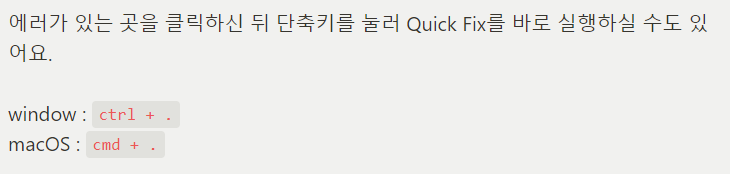
단축키 안먹으면 위의 한컴 입력기 삭제법 참
backgroundColor: Colors.white,
elevation: 0.5,
[Flutter] Stack과 Positioned Class
대표적으로 위젯을 순서대로 배치할 수 있는 Class는 Column과 Row 입니다. Column과 Row는 각각 세로, 가로 방향 순서대로 위젯들을 배치합니다. 두 Class는 쉽고 깔끔하게 위젯들을 원하는 방향으로 배
ahang.tistory.com

https://api.flutter.dev/flutter/painting/BoxFit.html
BoxFit enum - painting library - Dart API
How a box should be inscribed into another box. See also: applyBoxFit, which applies the sizing semantics of these values (though not the alignment semantics). Inheritance Constructors BoxFit() const Values fill → const BoxFit Fill the target box by dist
api.flutter.dev
텍스트 세로 배치
Text(
'M1 아이패드 프로 11형(3세대) 와이파이 128G 팝니다.',
style: TextStyle(
fontSize: 16,
color: Colors.black,
),
softWrap: false,
maxLines: 2,
overflow: TextOverflow.ellipsis,
),
SizedBox(height: 2),
Text(
'봉천동 · 6분 전',
style: TextStyle(
fontSize: 12,
color: Colors.black45,
),
),
SizedBox(height: 4),
Text(
'100만원',
style: TextStyle(
fontSize: 14,
fontWeight: FontWeight.bold,
),
),
[Flexible 과 Expanded 위젯]
[플러터]Flexible과 Expanded 위젯
Row 혹은 Column 일 이용하다보면 사용하게될 Flexible 위젯과 Expanded 위젯에대해서 알아보겠습니다. 플레이그라운드 용으로 sacfold의 body에 다음과 같은 코드를 넣었습니다. Row( mainAxisAlignment: MainAxisAl
mike123789-dev.tistory.com
crossAxisAlignment: CrossAxisAlignment.start,
crossAxisAlignment: CrossAxisAlignment.start,
SizedBox
SizedBox(width: 12),
좋아요 아이콘, 숫자
Spacer(),
GestureDetector(
onTap: () {},
child: Row(
children: [
Icon(
CupertinoIcons.heart,
color: Colors.black54,
size: 16,
),
Text(
'1',
style: TextStyle(color: Colors.black54),
),
],
),
floatingActionButton: FloatingActionButton(
onPressed: () {},
backgroundColor: Color(0xFFFF7E36),
elevation: 1,
child: Icon(
Icons.add_rounded,
size: 36,
),
), )
bottomNavigationBar: BottomNavigationBar(
fixedColor: Colors.black,
unselectedItemColor: Colors.black,
showUnselectedLabels: true,
selectedFontSize: 12,
unselectedFontSize: 12,
iconSize: 28,
type: BottomNavigationBarType.fixed,
items: [
BottomNavigationBarItem(
icon: Icon(Icons.home_filled),
label: '홈',
backgroundColor: Colors.white,
),
BottomNavigationBarItem(
icon: Icon(Icons.my_library_books_outlined),
label: '동네생활',
),
BottomNavigationBarItem(
icon: Icon(Icons.fmd_good_outlined),
label: '내 근처',
),
BottomNavigationBarItem(
icon: Icon(CupertinoIcons.chat_bubble_2),
label: '채팅',
),
BottomNavigationBarItem(
icon: Icon(
Icons.person_outline,
),
label: '나의 당근',
),
],
currentIndex: 0,
),
[Dart Pad Shazam 완성본 보기]
https://dartpad.dev/?id=4c1bef6b01b3180e964fdec5ffcaf2bb
DartPad
dartpad.dev
'Spring & Backend' 카테고리의 다른 글
| [왕초보] 플러터(Flutter)로 시작하는 앱개발 4주차 - 스파르타코딩클럽 (0) | 2023.04.11 |
|---|---|
| [왕초보] 플러터(Flutter)로 시작하는 앱개발 3주차 - 스파르타코딩클럽 (0) | 2023.04.11 |
| [왕초보] 플러터(Flutter)로 시작하는 앱개발 1주차 - 스파르타코딩클럽 (0) | 2023.04.11 |
| [왕초보] 마케터, 기획자를 위한 실전 데이터 분석 5주차[파이썬,python] -스파르타코딩클럽 (0) | 2023.04.11 |
| [왕초보] 마케터, 기획자를 위한 실전 데이터 분석 4주차[파이썬,python] -스파르타코딩클럽 (0) | 2023.04.11 |